The expense tracker you can talk to.
Less typing, clearer money. Say what you spent, scan a receipt or type it in, then ask Walt about the spending you've recorded. No bank login required.
SmartWalt is a voice-first expense tracker and budget app. Say what you spent, scan a receipt or add it manually, then manage budgets, bills, savings goals, money owed and trip or event ledgers in one place. Ask Walt, SmartWalt's AI money assistant, about the spending you've recorded. No bank login required. SmartWalt doesn't import bank transactions automatically, so your reports reflect what you record. Voice logging is part of Pro and included in your 14-day free trial.
Sound familiar?
The real reason you aren't saving money isn't because you don't earn enough. It's because tracking it is just too hard.
Where'd my paycheck go?
You earned $4,000 this month. You can only account for $2,800. The rest? Small purchases you forgot about: coffee, subscriptions, impulse buys that add up fast.
Budget apps feel like a second job
You've tried tracking before. It needs 10 minutes of manual entry every day. By Thursday, you've stopped. Most apps require linking your bank account just to get started.
Saving feels impossible
You keep telling yourself you'll start saving 'next month.' But without knowing your real spending patterns, next month never comes.
SmartWalt fixes this.Just say it.
Tracking should be effortless.
Record your spending, make a plan, and get answers from Walt.
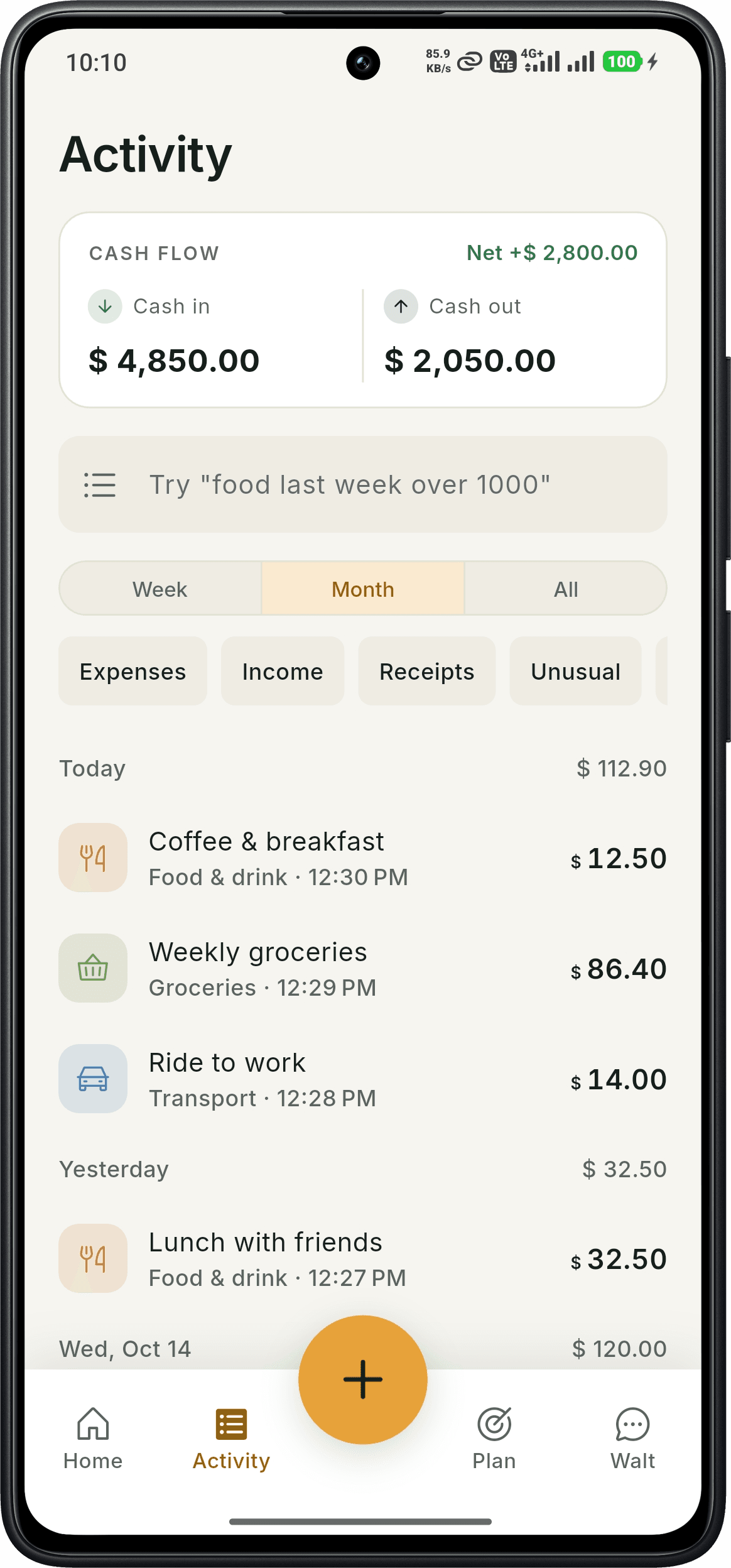
Keep track of the everyday
See income and expenses together, search for a purchase, and review your recent spending without digging through a spreadsheet.
- Income and expense totals
- Search by purchase or time period
- Filter receipts and unusual spending
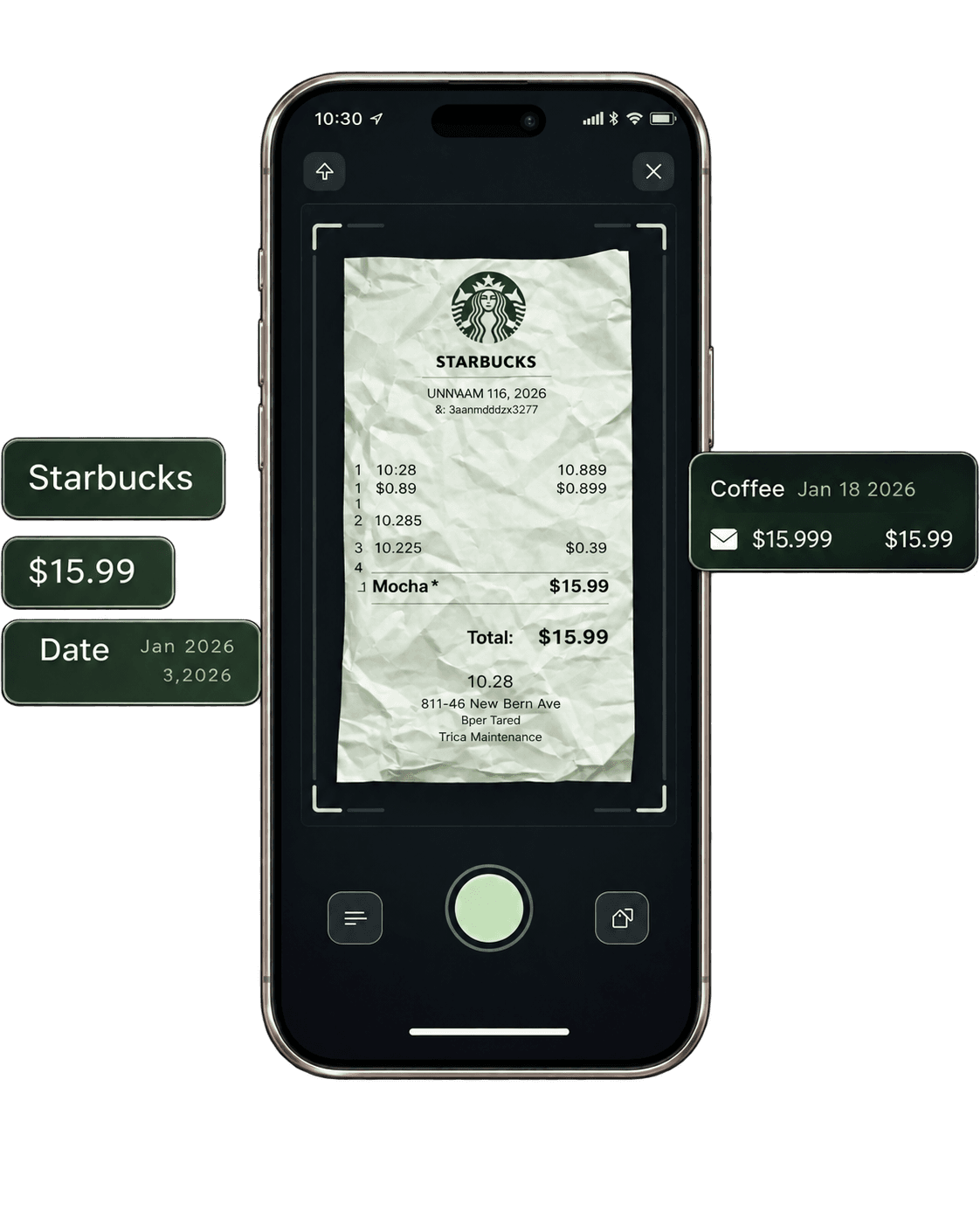
Just Snap It
Got a receipt, invoice, or bill? Just snap a photo. SmartWalt instantly reads the amount, vendor, and date, and logs it as an expense automatically.
- Works with receipts, invoices & bills
- Auto-extracts amount, vendor & date
- Instantly logged as an expense
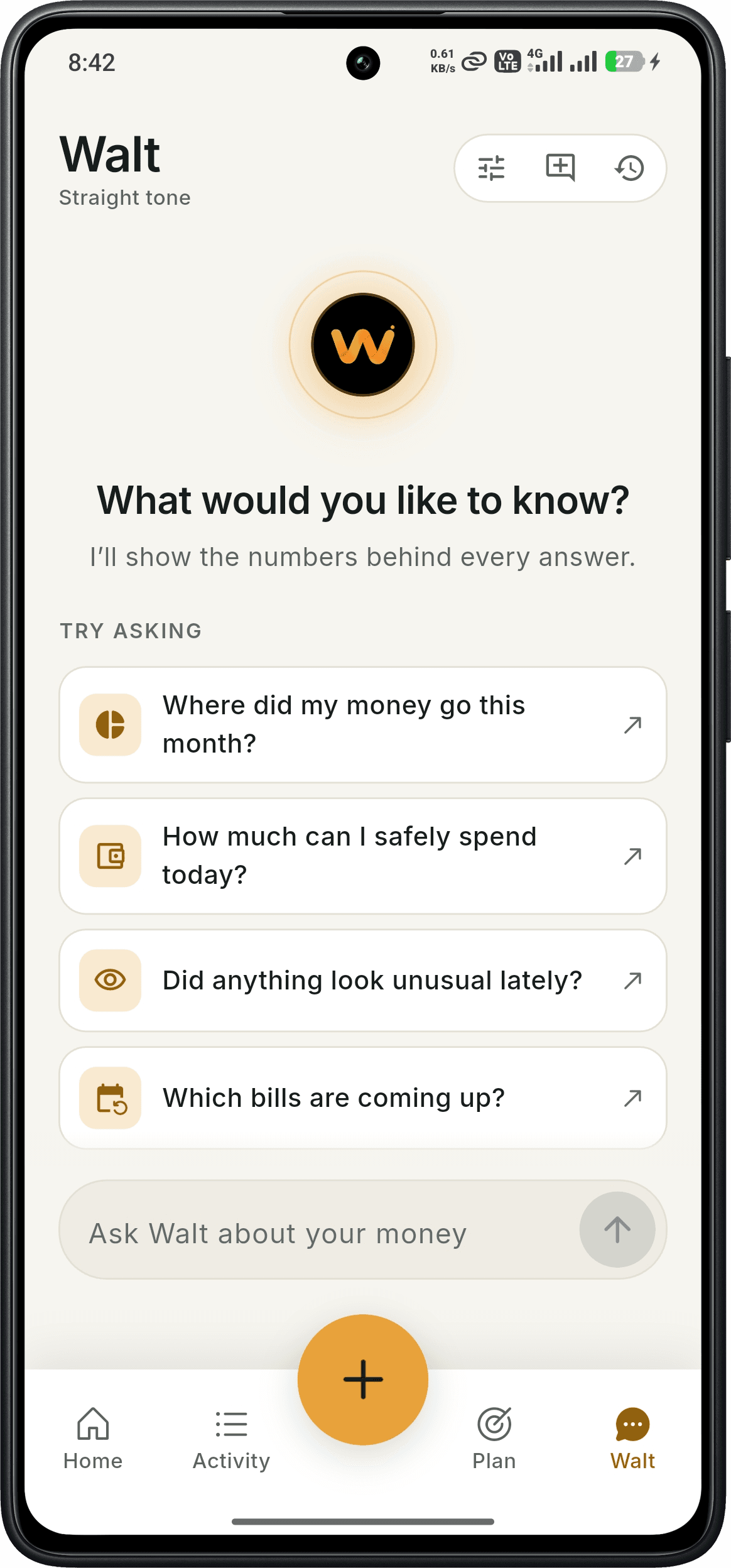
Ask Walt about your money
Wondering where your money went or which bills are coming up? Ask Walt, or choose a suggested question to start exploring your numbers.
- Questions about your spending
- Daily spending guidance
- Upcoming bill questions
From zero to saving in 30 seconds.
Download & Launch
Download free. Open app. Enter your name. Your 14-day Pro trial starts instantly — no credit card needed.
Speak, Snap or Type
Say 'Lunch $12', snap your receipt or type it in. SmartWalt suggests the amount, category and date, and you review before saving.
See Where It Went
Ask Walt about the spending you've recorded. Review budgets and bills and spot where your money goes.
No bank linking
We never touch your bank account
Powered by AWS
Enterprise-grade encryption
Built by EnDevSols
Real support at support@smartwalt.com
On Google Play
Free to download on Android
Your Data
Full export, delete anytime
Everything you need to regain control.
Powerful enough for complex finances, simple enough you'll actually use it.
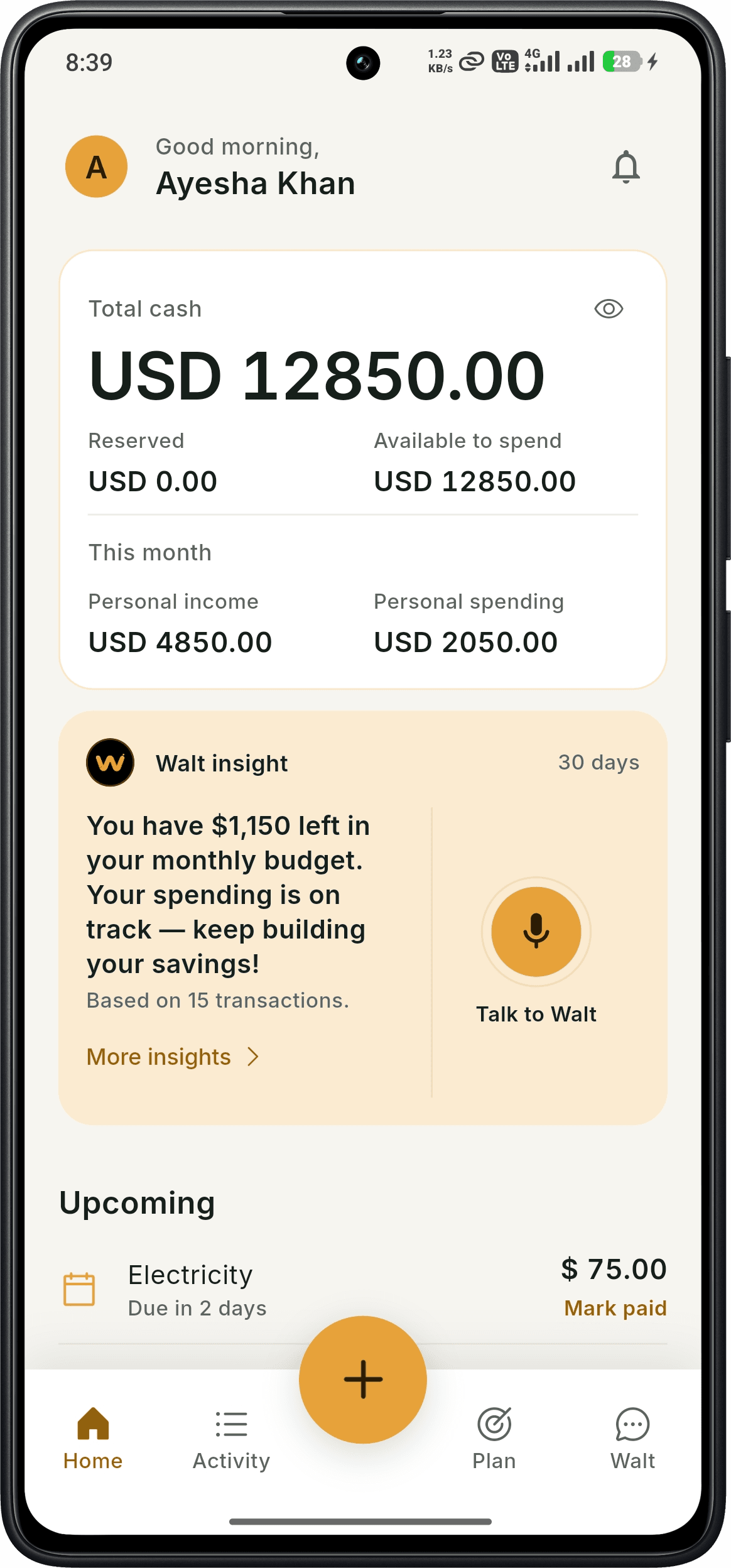
Your money at a glance
See your total cash, available balance, monthly income and spending as soon as you open SmartWalt. Upcoming bills and recent transactions keep the next step close at hand.
- Total cash and available balance
- Monthly income and spending
- Upcoming bills and recent transactions
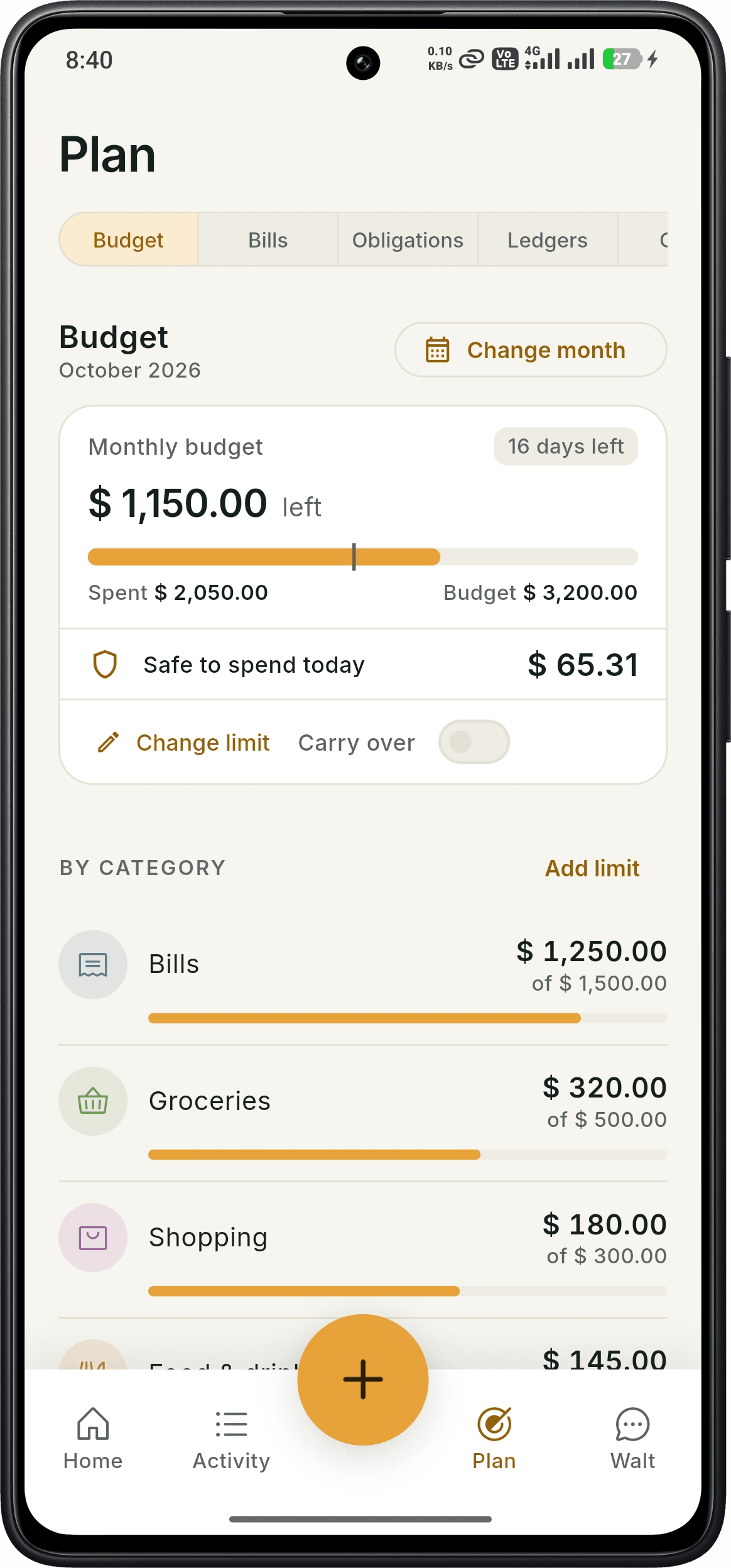
Monthly budgets, made clear
Set a monthly budget and category limits, then see what is left and how much is safe to spend today. Follow each category as the month goes on.
- Monthly budget and remaining balance
- Category spending limits
- Safe-to-spend daily amount
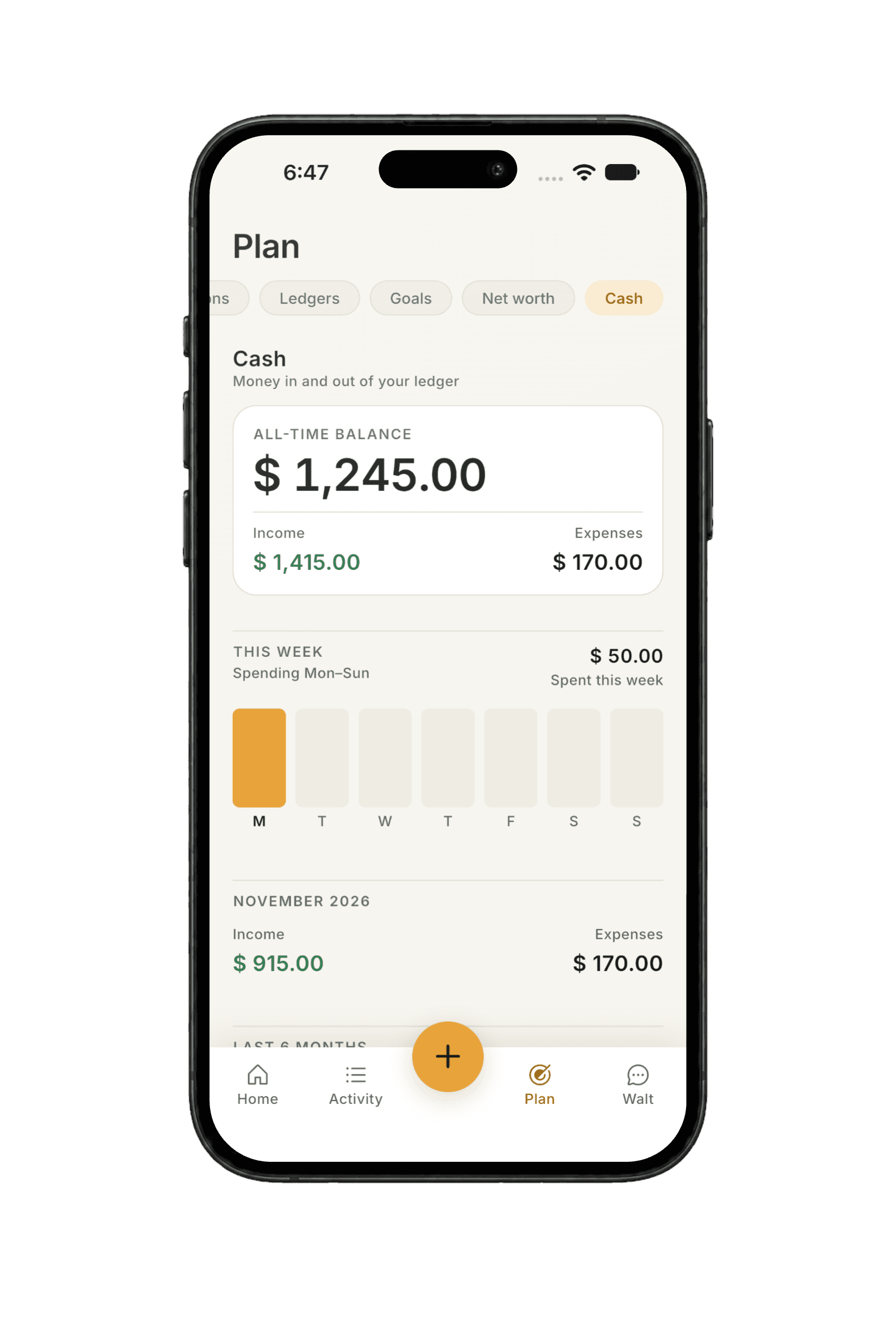
Follow your cash flow
See money in and money out alongside your all-time cash balance. A weekly spending chart and monthly totals help you put everyday purchases in perspective.
- All-time cash balance
- Weekly spending chart
- Monthly income and expense totals
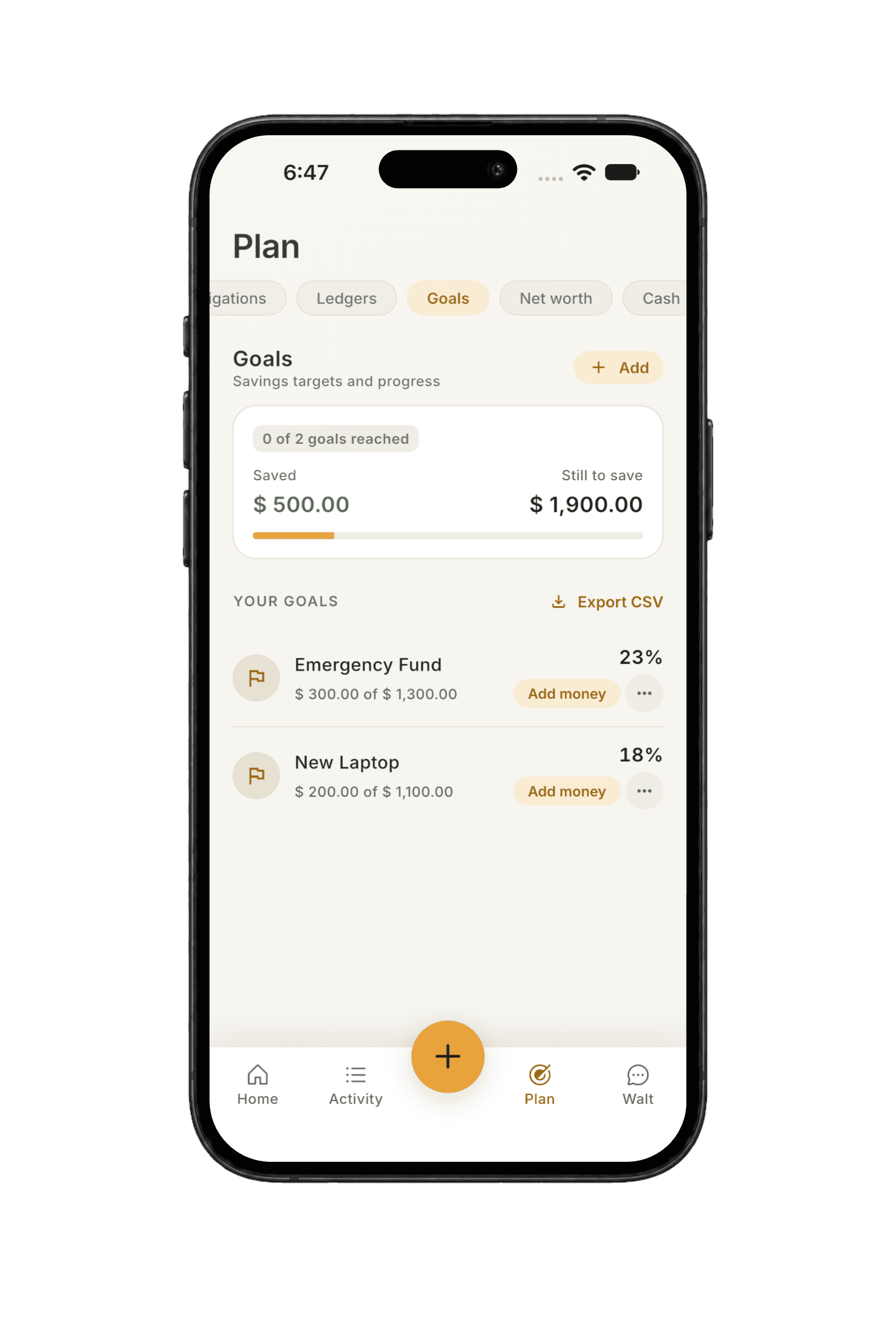
Make room for your goals
Give each savings goal a target and track your progress. See how much you have saved, what is still needed, and how much to set aside each month to stay on track.
- Savings targets and progress
- Saved and still-to-save totals
- Monthly amounts to stay on track
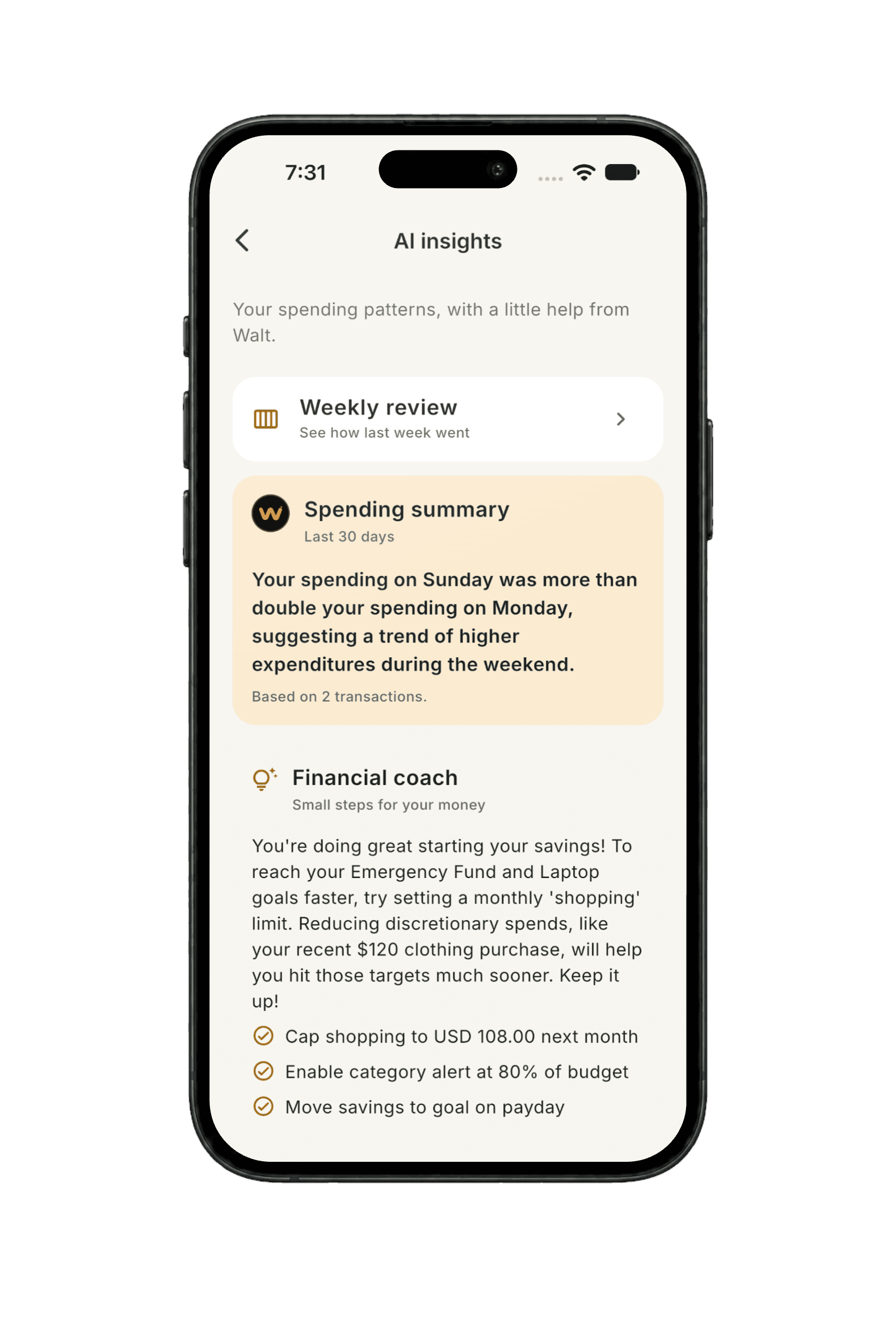
Understand your spending
Read a spending summary, open your weekly review, and see purchases that look unusual. Walt turns your recorded activity into plain-language insights you can act on.
- Weekly review
- Spending summaries
- Unusual spending insights
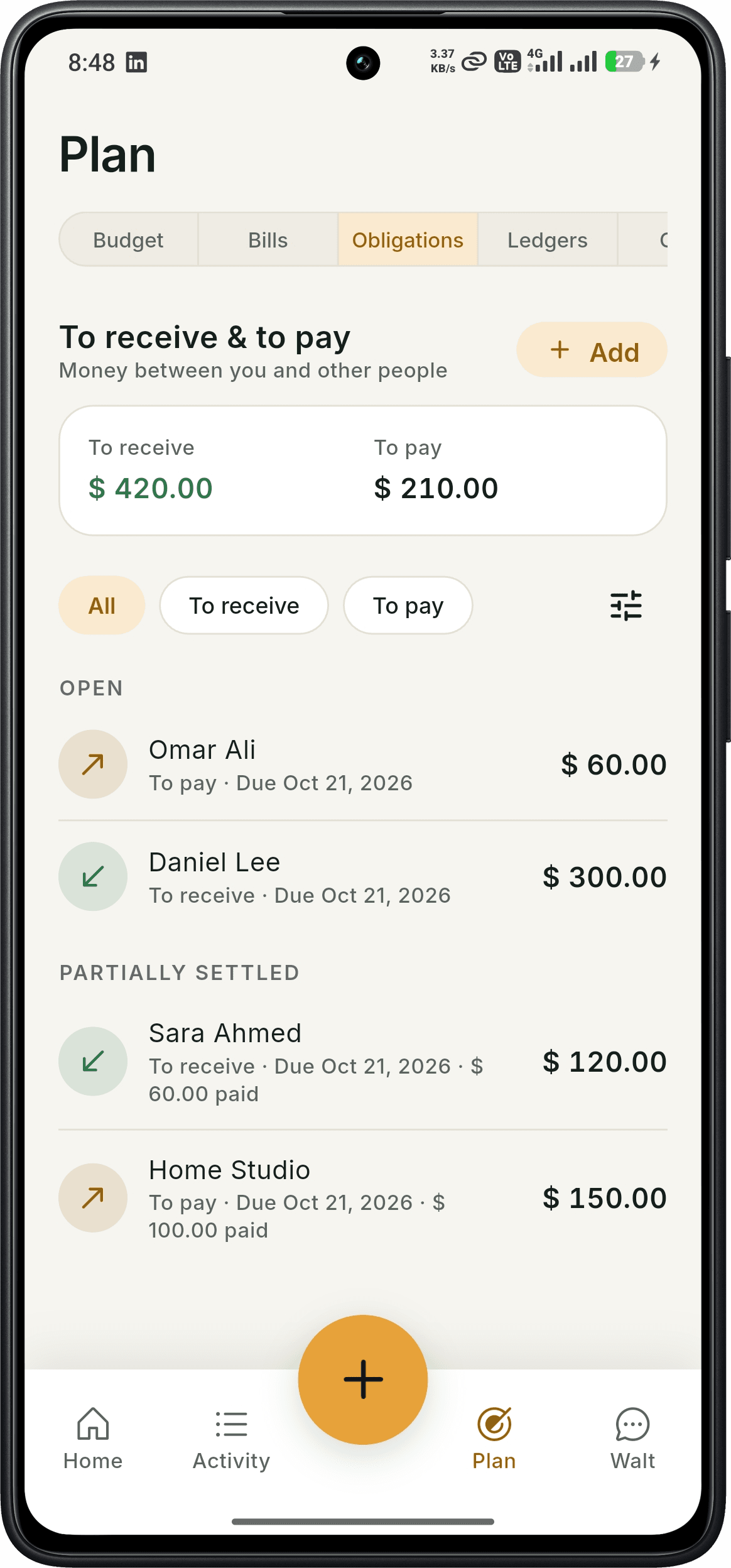
Obligations: know who owes what
Keep track of money to receive and money to pay. See open and partially settled amounts, with due dates and payment progress for each person.
- To-receive and to-pay totals
- Due dates by person
- Partial payment tracking
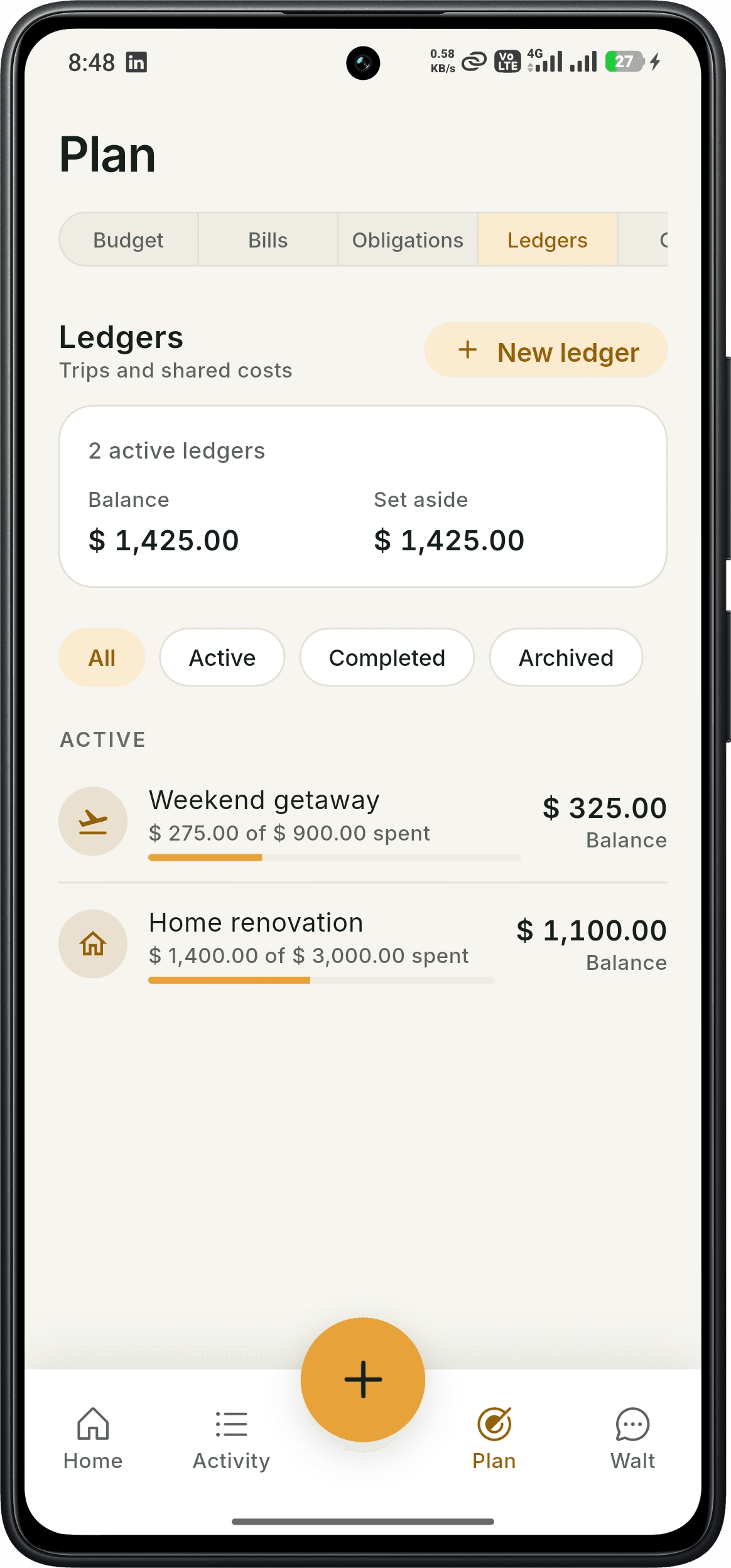
Ledgers for trips and shared costs
Give a trip or project its own ledger. Follow spending and the amount left to settle, with active, completed, and archived views to keep things organized.
- Separate trip and project ledgers
- Spent and balance summaries
- Active, completed, and archived filters
On iPhone? We're almost there.
Join the waitlist for SmartWalt on iOS. Be the first to know when it drops in the App Store.
Simple pricing, powerful results.
Start for free, upgrade when you're ready for AI superpowers.
Free
Get started with essential tracking
- Manual income and expense logging
- Monthly and category budgets
- Bill tracking and reminders
- Savings goals
- Money owed (to receive and to pay)
- Ledgers for trips and events
- CSV and PDF exports
- Monthly Walt chat and receipt scan allowance
Pro
Unlock full AI power
- All Free Features
- Voice expense tracking
- Unlimited Walt chat and receipt scanning
- Talk to Walt (voice)
- AI goal planning
- Net worth tracking
- AI bill optimization
- AI insights and anomaly detection
14-day free Pro trial included
No credit card required. Cancel anytime.
Your questions, answered honestly.
Everything you need to know before downloading.
Start saving in 30 seconds.
Know where your money goes without the spreadsheet. Say what you spent, scan a receipt, and ask Walt about your spending.
Start your 14-day free Pro trial today — no credit card required.