Scan a receipt. Skip the typing.
Paper receipts pile up and then get lost. Scan one when you add an expense, check what SmartWalt picked up, and save it with the rest of your spending.
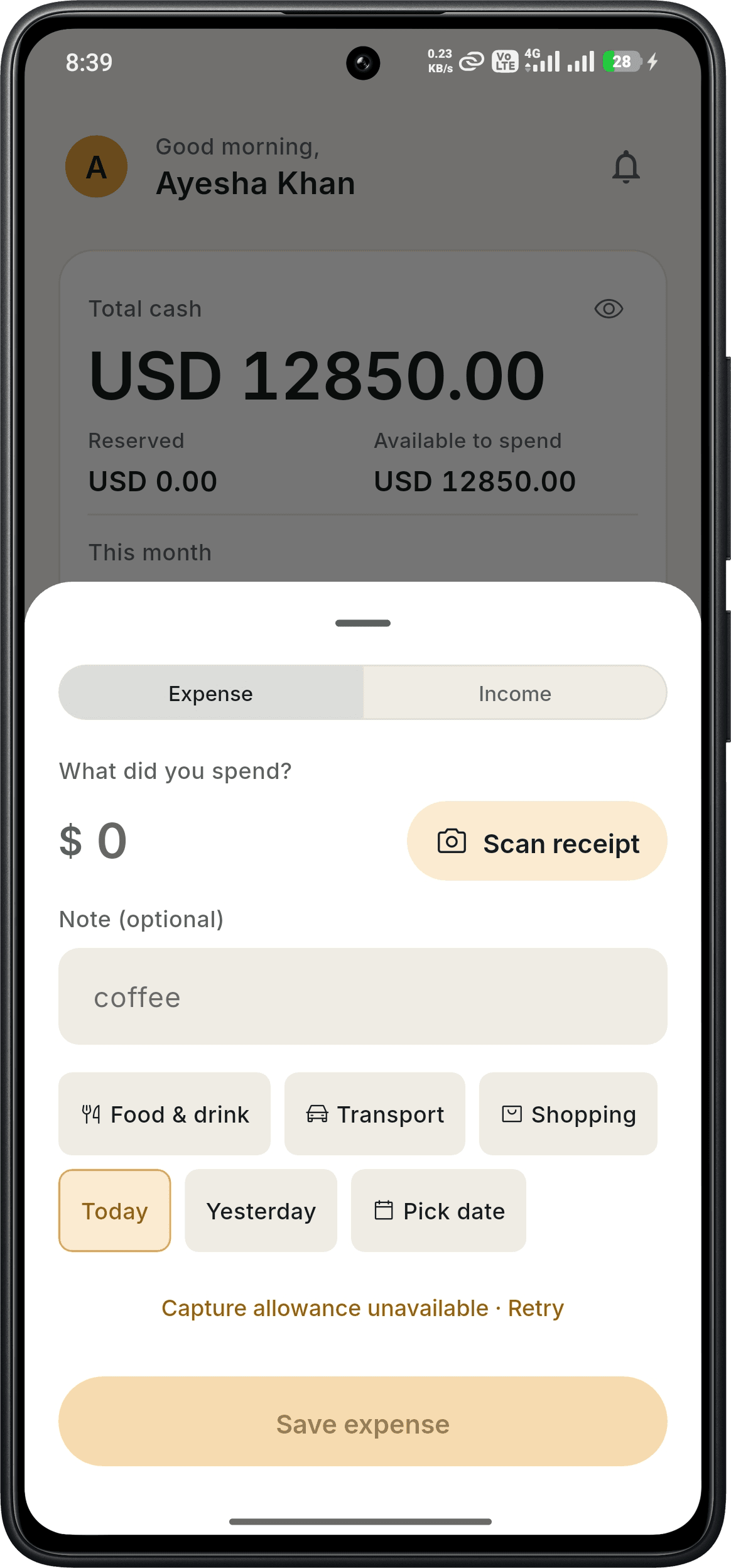
- Start from the Scan receipt button on the add-expense screen
- Review the details before anything is saved
- Free monthly allowance; unlimited on Pro
Free to download · 14-day free Pro trial, no card · No bank login required
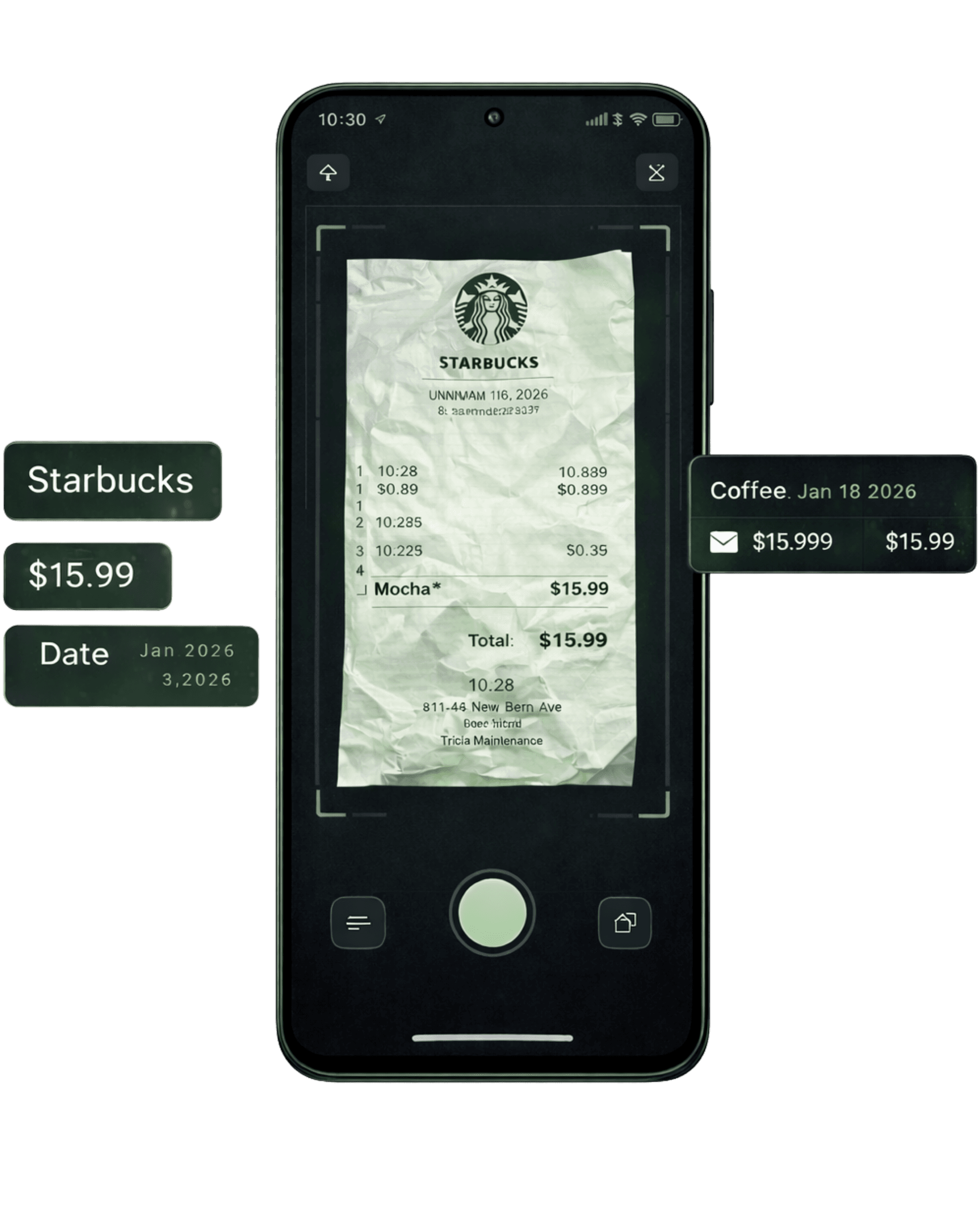
Scan, check, save
Receipt scanning is built into the screen you already use to add an expense, so there is no separate tool to open.
- 1Tap + and choose Expense, then tap Scan receipt.
- 2Photograph the receipt. SmartWalt reads the purchase details.
- 3Check the amount, note, category and date. Fix anything that is off, then save.
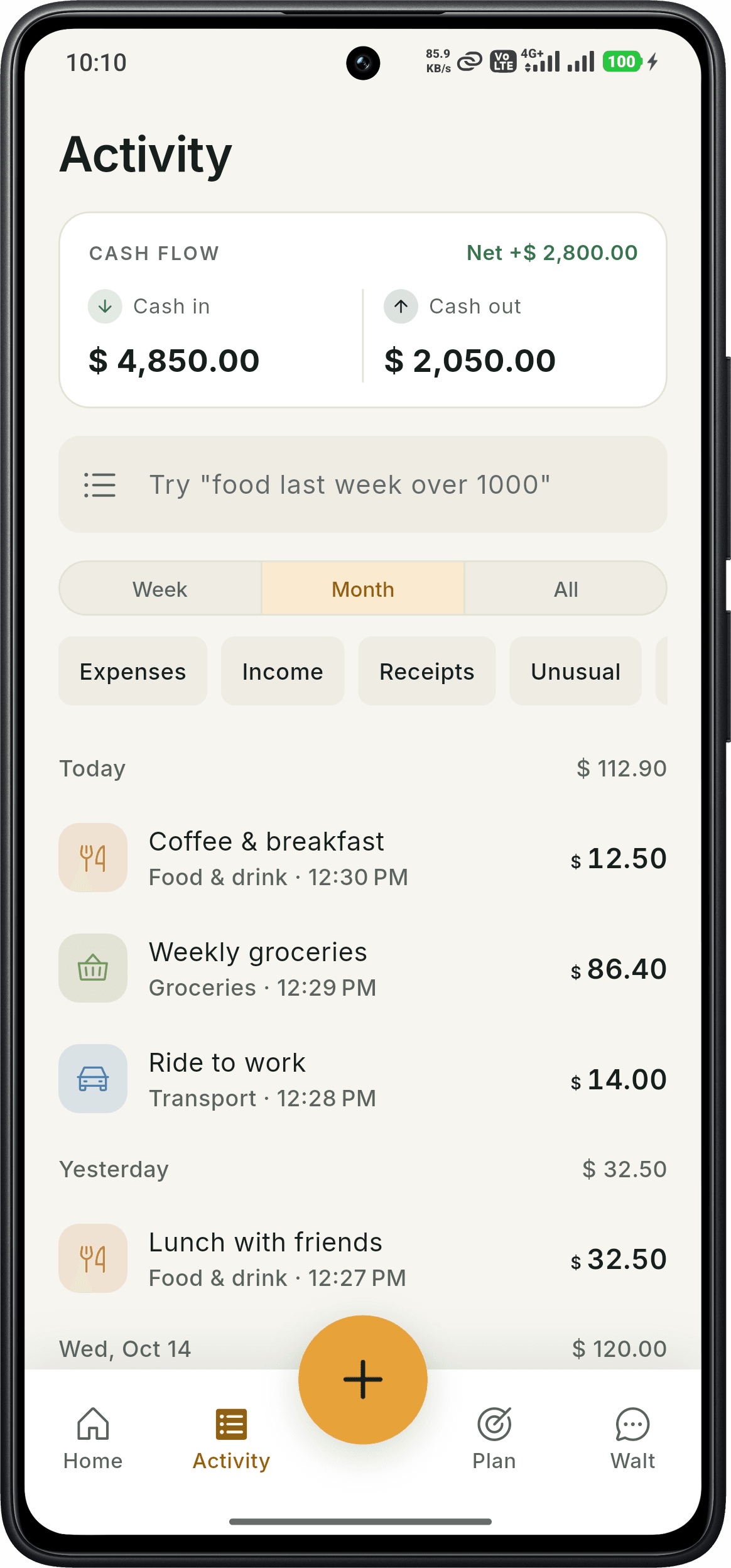
Scanned receipts stay in your history
Scanned expenses appear in Activity with your other transactions. Use the Receipts filter to look at receipt-based entries, or narrow by week, month and category.
- Receipts filter in Activity
- Search in plain words, such as "food last week over 1000"
- Edit an entry at any time
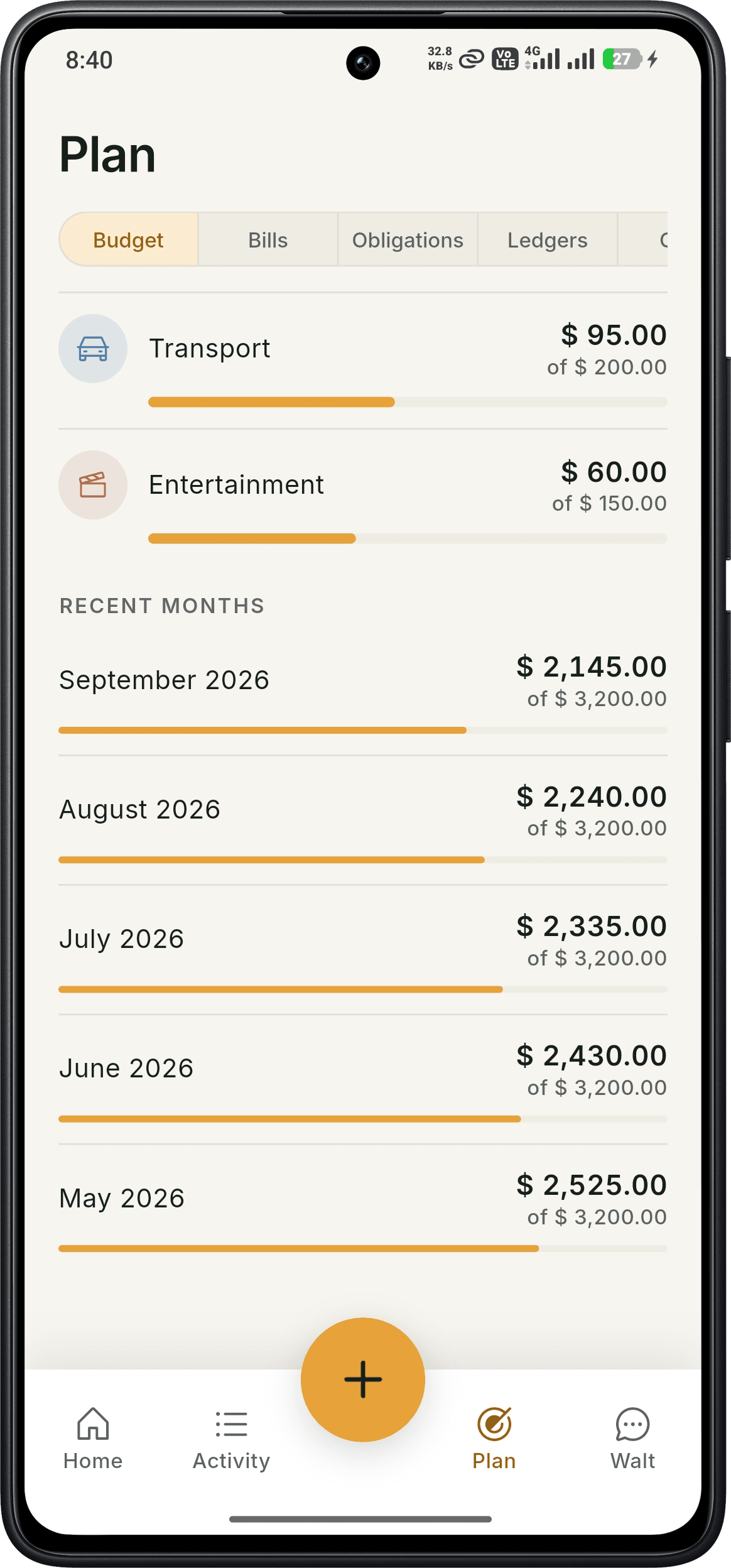
Receipts feed your budgets automatically
A scanned receipt is a normal expense, so it counts toward the category limit and the monthly budget you set in the Plan tab. You see what is left without any extra step.
What's free and what's Pro
Free
- Monthly allowance of receipt scans
- Manual expense logging
- Budgets, bills, goals, money owed and ledgers
- Monthly allowance of Walt chat
Pro
$4.99/month or $49/year · 14-day free trial, no card
- Unlimited receipt scanning
- Voice expense tracking
- Unlimited Walt chat and voice conversations
- AI insights and anomaly detection
Good to know
- Free accounts get a monthly allowance of receipt scans. Pro is unlimited, and every new account gets a 14-day free Pro trial.
- Scanning reads what is printed on the receipt, so always check the result before saving. Faded or crumpled receipts may need corrections.
- SmartWalt does not connect to your bank or import transactions.
- SmartWalt is available on Android. An iOS version is not yet released.
Frequently asked questions
Is receipt scanning free?+
Free accounts have a monthly allowance of receipt scans. Pro removes the limit, and new accounts get a 14-day free Pro trial.
Do I need to link my bank?+
No. SmartWalt never asks for your bank login.
Can I correct what the scan reads?+
Yes. You review and edit the amount and details before saving, and you can edit the transaction later.
What about purchases without a receipt?+
Add them manually, or by voice with Pro.
Try it on your own spending
Download SmartWalt and record your first expense. No bank login, no credit card.
Get it on Google Play