A budget tracker that shows what is left to spend.
Set a monthly budget, split it into categories, and watch it update as you record spending. SmartWalt also shows a safe amount to spend today, so a budget turns into a daily number.
- Monthly budget with days left and a safe-to-spend-today figure
- Category limits with progress bars
- Bills, savings goals and past months in the same Plan tab
Free to download · 14-day free Pro trial, no card · No bank login required
One number: how much is left
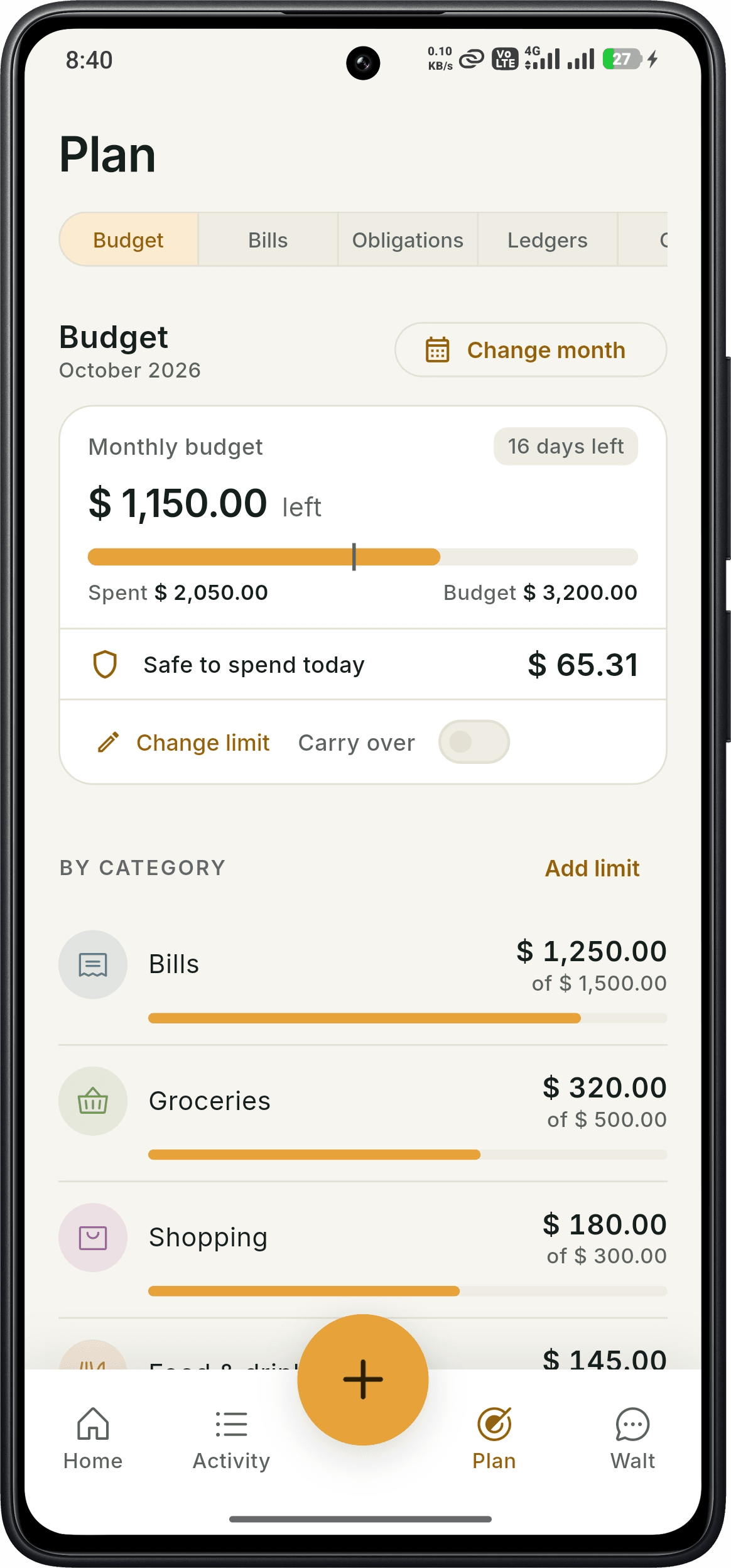
The Budget tab shows your monthly budget, how much you have spent, how much is left and how many days remain in the month. A "safe to spend today" figure spreads what is left across the remaining days.
You can change the limit at any time and choose whether unspent budget carries over to the next month.
- Monthly budget and amount left
- Safe to spend today
- Change limit and carry-over option
- Switch months to look back
Limits for food, transport, shopping and more
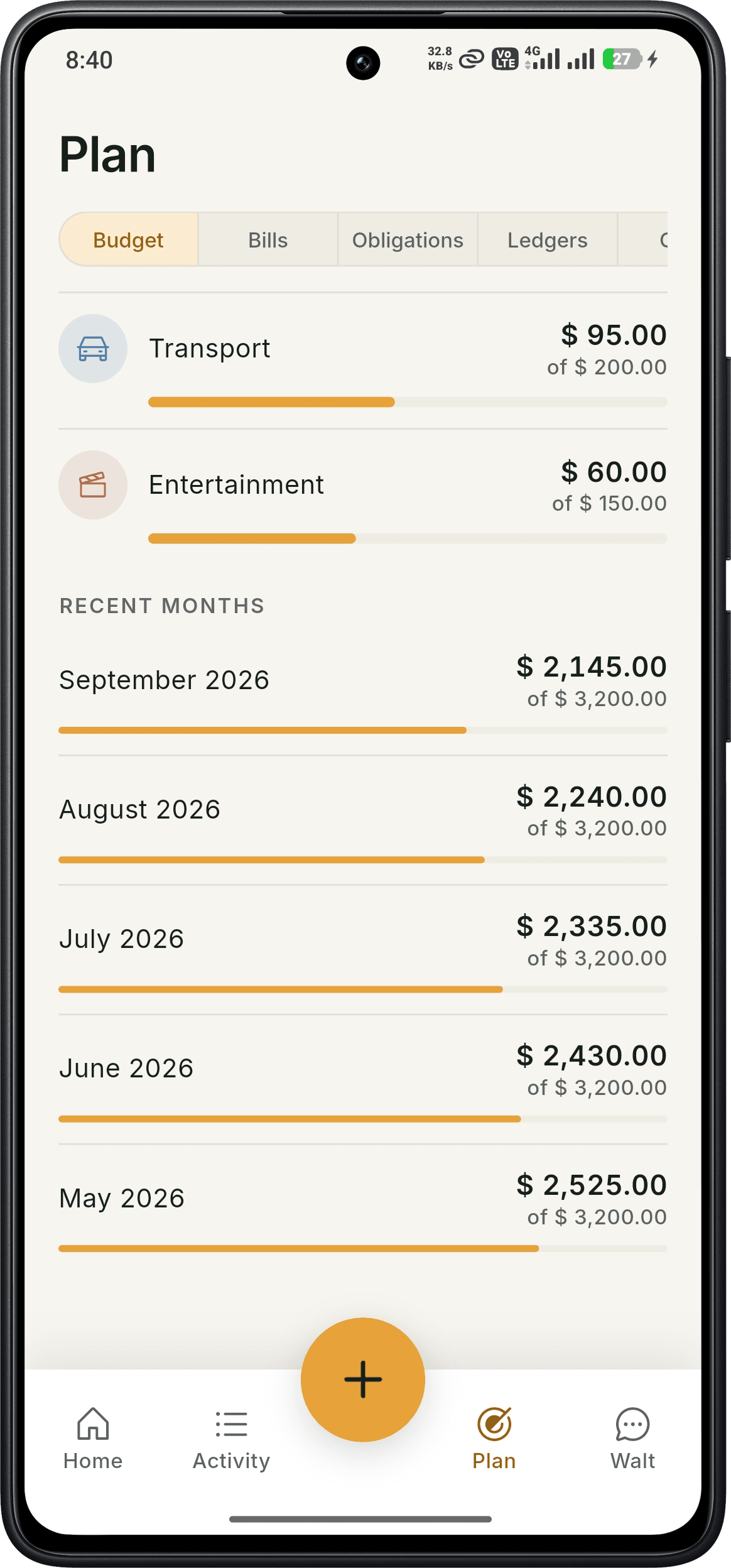
Add a limit for each category and see a progress bar for every one. Recent months are listed underneath so you can see how this month compares with the last few.
Know what is due before it is due
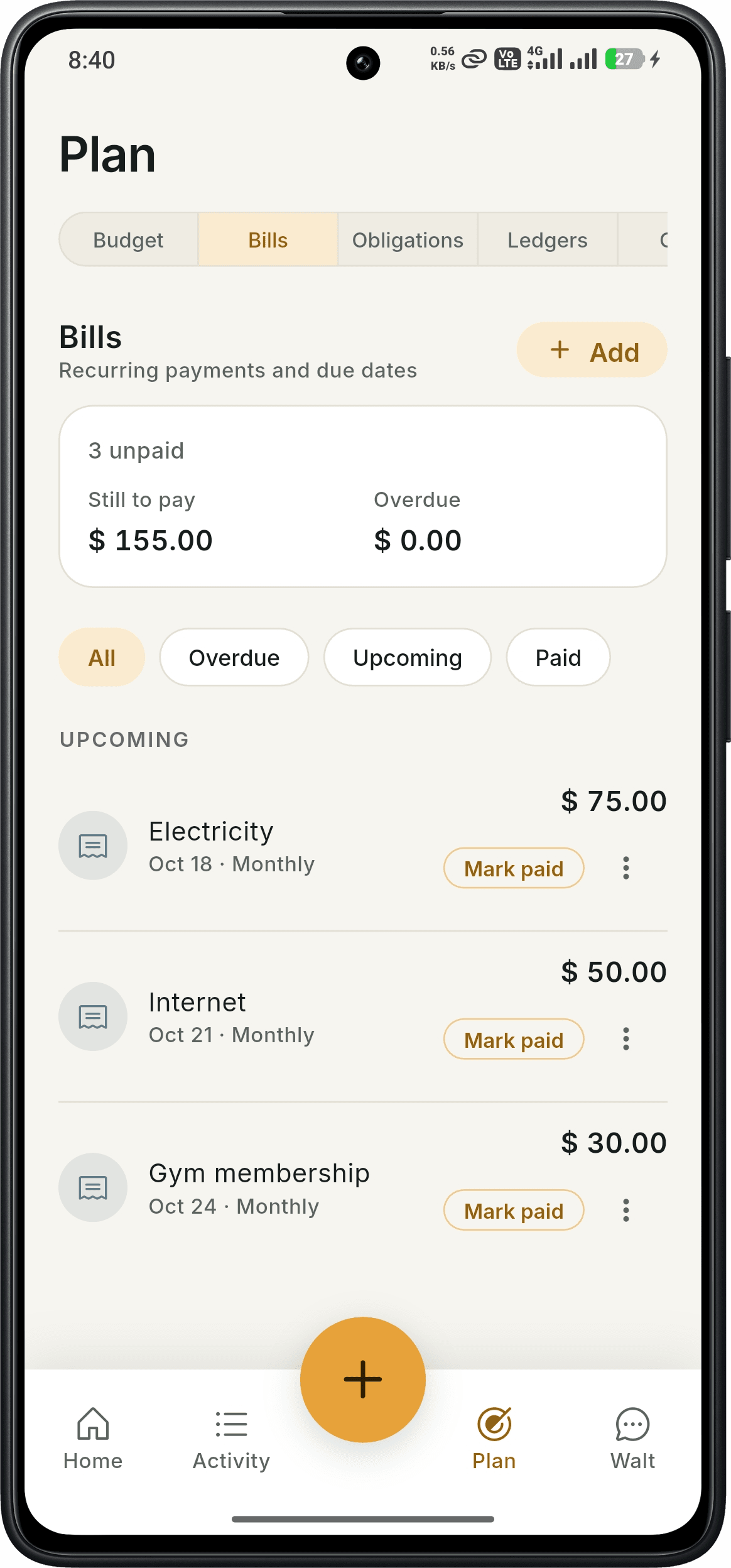
The Bills tab lists recurring payments with due dates, how much you still have to pay and anything overdue. Filter by Overdue, Upcoming or Paid, and tap Mark paid when you settle one.
- Still-to-pay and overdue totals
- Monthly recurring bills
- Mark paid in one tap
Your budget on the home screen
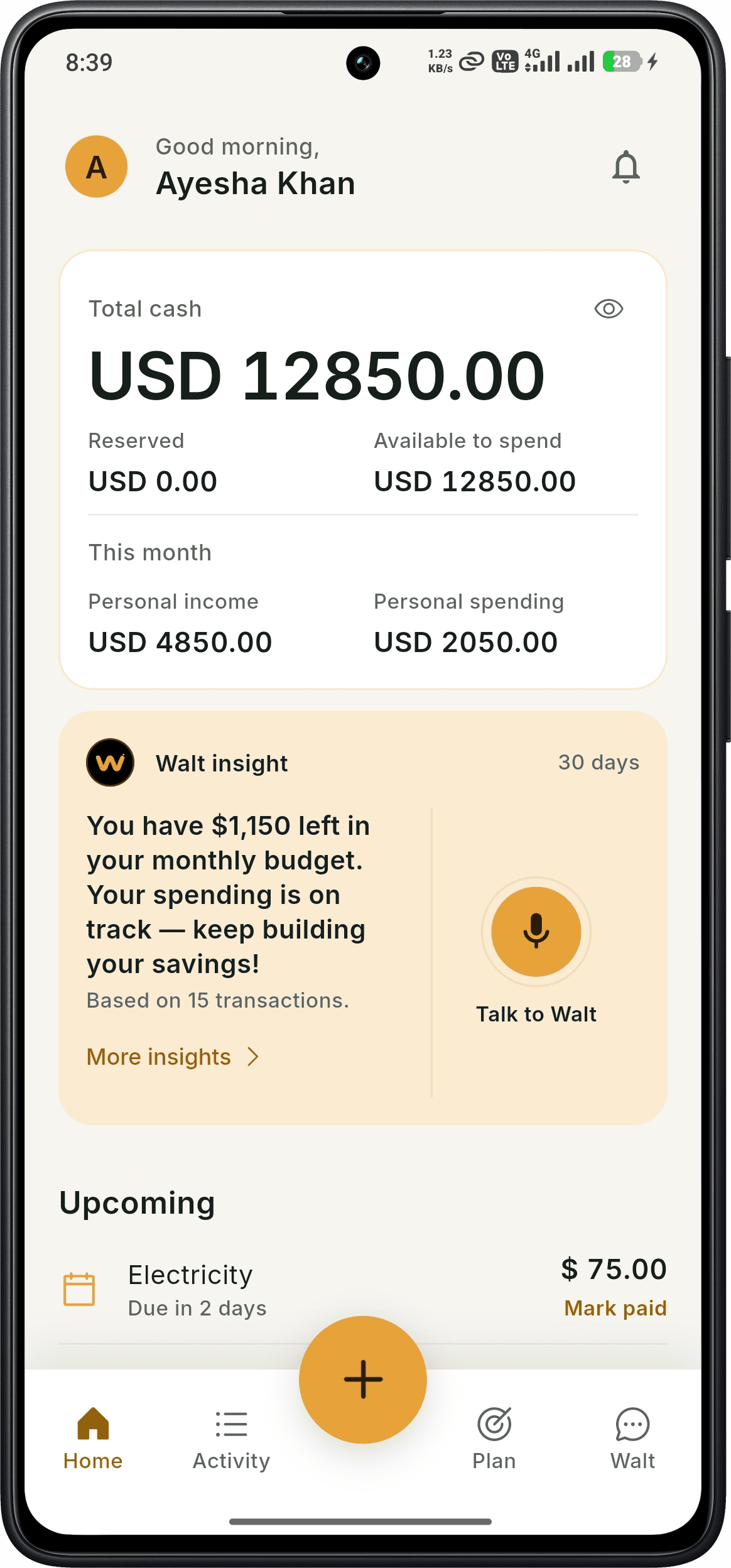
The home screen shows total cash, what is available to spend, this month's income and spending, upcoming bills, and a Walt insight such as how much is left in your monthly budget.
What's free and what's Pro
Free
- Monthly and category budgets
- Bills with reminders and due dates
- Savings goals and contributions
- Money owed and ledgers
- CSV and PDF exports
- Monthly allowance of Walt chat and receipt scans
Pro
$4.99/month or $49/year · 14-day free trial, no card
- Voice expense tracking
- Unlimited receipt scanning and Walt chat
- AI goal planning and net worth tracking
- AI bill optimization
- AI insights, anomaly detection and coaching
Good to know
- Budgets are based on the expenses you record. SmartWalt does not import bank transactions automatically.
- Walt answers questions about your recorded spending. It is not a substitute for regulated financial advice.
- SmartWalt is available on Android. An iOS version is not yet released.
Frequently asked questions
Is the budget feature free?+
Yes. Monthly and category budgets, bills and savings goals are free.
What does "safe to spend today" mean?+
It divides what is left of your monthly budget across the days remaining in the month, so you have a daily guide.
Do I need to connect my bank?+
No. You record spending yourself, by voice (Pro), receipt scan or manual entry.
Can I look at previous months?+
Yes. The Budget tab lists recent months with spent versus budget.
Try it on your own spending
Download SmartWalt and record your first expense. No bank login, no credit card.
Get it on Google Play