Track expenses by voice. Say it, review it, save it.
Typing every purchase into a form is why most people stop tracking. With SmartWalt you say what you spent, check what it understood, and save, so keeping records takes seconds instead of minutes.
- Say it naturally, like "spent 800 on lunch"
- Review the amount, category and date before saving
- Works for cash and card, with no bank login
Free to download · 14-day free Pro trial, no card · No bank login required
From a spoken sentence to a saved expense
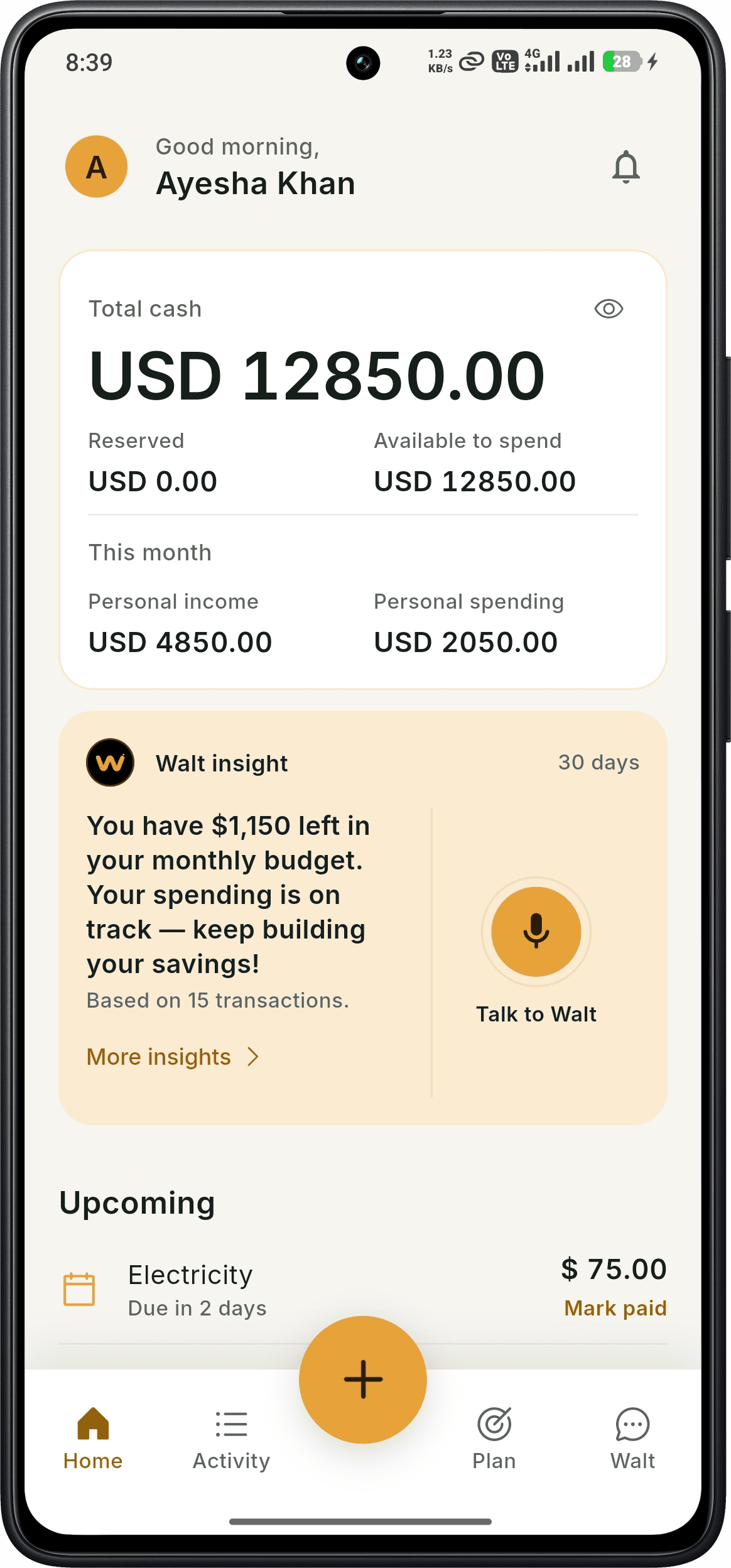
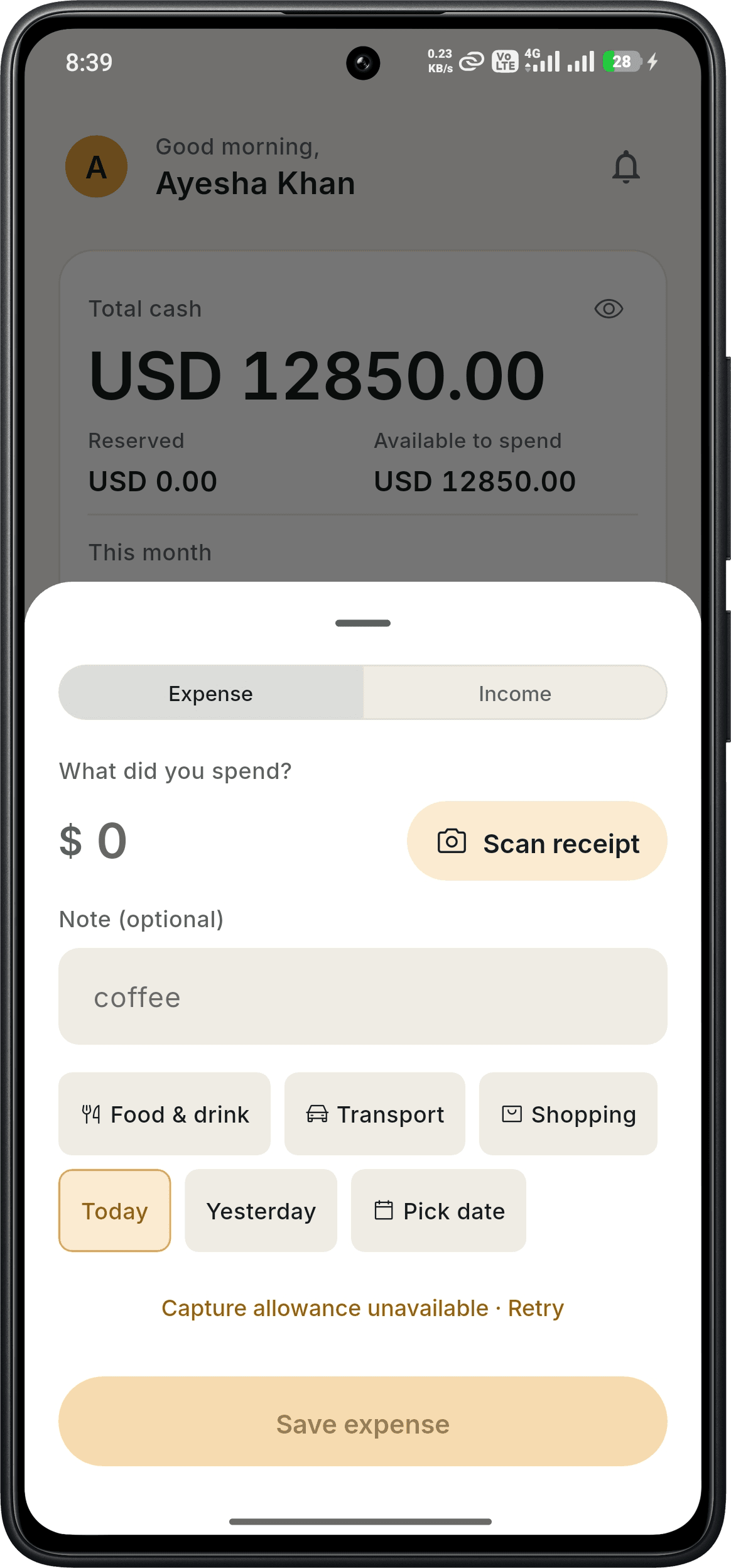
Voice expense tracking turns what you say into a normal SmartWalt transaction, the same record you would create by typing.
- 1Open SmartWalt and tap the microphone on Home.
- 2Say what you spent and what it was for, for example "coffee 450".
- 3SmartWalt fills in the amount, category and date. Check them, fix anything that was misheard, then save.
Everything lands in one organised Activity feed
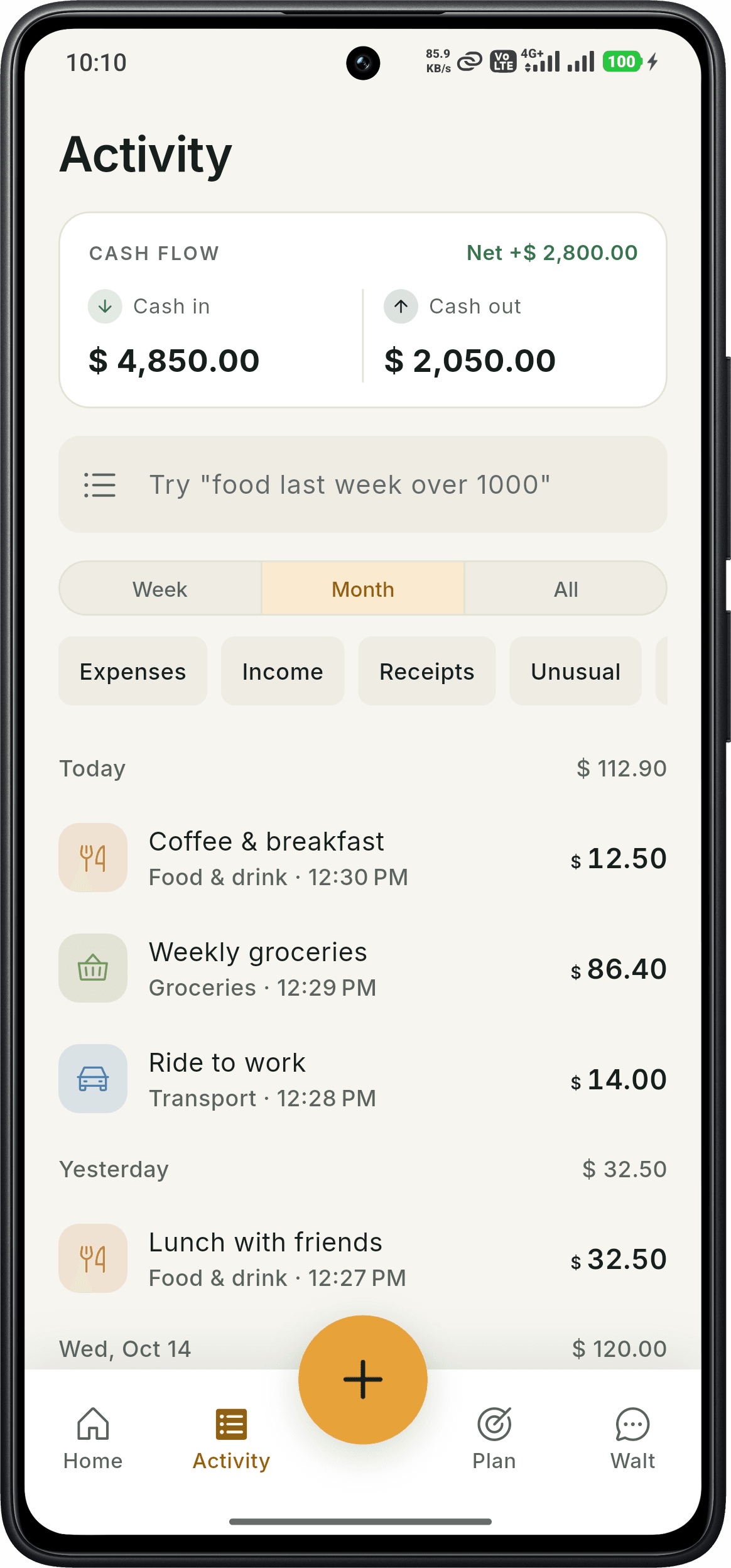
Voice, scanned and typed entries all appear in Activity, grouped by day with their category. See cash in and cash out for the week or month, filter by Expenses, Income or Receipts, and search in plain words, such as "food last week over 1000".
- Cash flow summary: cash in, cash out and net
- Filter by week, month or all time
- Spot unusual transactions with the Unusual filter
Then ask questions about what you recorded
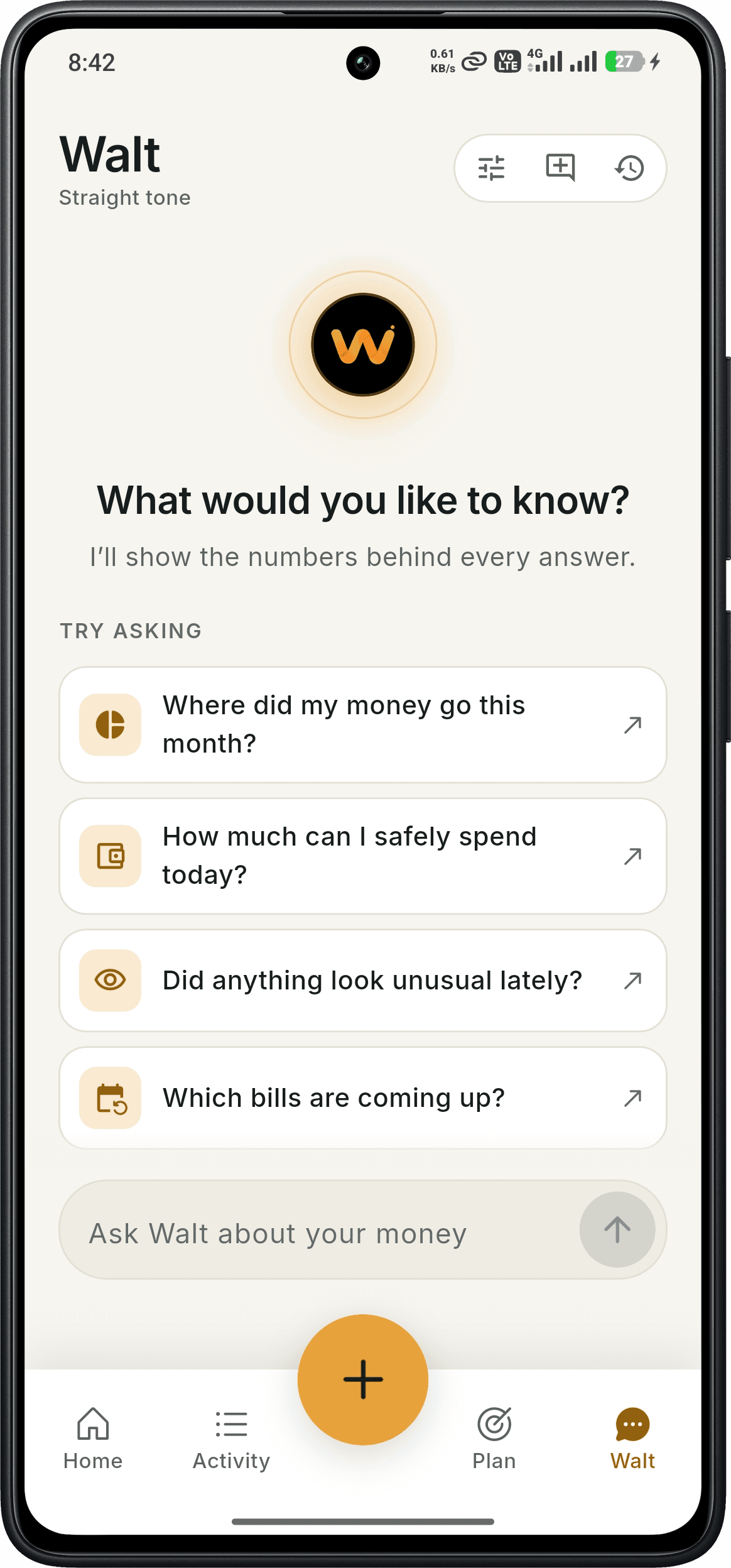
Walt is SmartWalt's AI money assistant. Ask where your money went this month, how much you can safely spend today, whether anything looks unusual, or which bills are coming up. Walt shows the numbers behind each answer and works from the entries you have recorded.
Built for cash and everyday spending
Cash purchases never appear in a bank feed, which is why they are the easiest to forget. Saying a purchase out loud the moment you pay takes a few seconds and needs no bank connection.
What's free and what's Pro
Free
- Manual expense logging with category and date
- Activity feed, filters and search
- Budgets, bills, goals, money owed and ledgers
- Monthly allowance of Walt chat and receipt scans
Pro
$4.99/month or $49/year · 14-day free trial, no card
- Voice expense tracking
- Unlimited receipt scanning and Walt chat
- Talk to Walt (voice conversations)
- AI insights and anomaly detection
Good to know
- Voice expense tracking is part of SmartWalt Pro ($4.99/month or $49/year). Every new account gets a 14-day free Pro trial with no credit card.
- SmartWalt does not import bank transactions. Your reports reflect what you record.
- Speech recognition can mishear numbers or names, so check each entry before you save it.
- SmartWalt is available on Android. An iOS version is not yet released.
Frequently asked questions
Is voice expense tracking free?+
Voice expense tracking is part of SmartWalt Pro. New accounts get a 14-day free Pro trial, no credit card required. Manual expense logging stays free.
Do I need to connect my bank?+
No. SmartWalt never asks for your bank login. You record transactions by voice, receipt scan or manual entry.
What if it mishears me?+
You review the amount, category and date before saving, and you can edit any transaction later from Activity.
Does SmartWalt track my spending automatically?+
No. You start each entry. SmartWalt makes entering it faster, but it does not read your bank account.
Is it available on iPhone?+
Not yet. SmartWalt is on Google Play for Android. You can join the iOS waitlist on our iPhone page.
Try it on your own spending
Download SmartWalt and record your first expense. No bank login, no credit card.
Get it on Google Play